
This post will use the Feynman Technique to explain Java variables using the backdrop of the classic movie Back to the Future. This post is tied to the Feynman Technique and 20 Hour Method Challenge. For more info, click here.
What are Java Variables?
The best way to break this definition of a variable down is like an old photograph: it’s a snapshot of info from a time and a place. For some, it can be a photo of when they were a geek in high school. For others, it could be the parking spot where they left their DeLorean. The information in the photograph is what java would call the “value”, and at the point in time when it showed up in your code, whatever was in it (if anything at all) is what the photograph (in our case, code) represents.
Different Variable Data Types Don’t Mix
In my previous post on Java Data Types (DT), I mentioned the different types of DTs. (Strings, characters, booleans, numeric, etc). When you list down the DT, that’s declaring, and the follow-up information in the line is what the name is that falls within that DT.
Different DTs don’t like to mix. They’re like the people that don’t like it if their coleslaw touches their mashed potatoes, or have real issues with peas mixing in with their carrots. When coding, it looks like this:
1 int speed;
2 double gigawatts;
3 String firstName;
4 char letter;
5 boolean flag;
6
7 int currentTime, pastTime;
8 String oldestChild, middleChild, youngestChild;
In the example above, lines 1-5 don’t like sharing lines like your siblings don’t like sharing rooms. There are no values listed, following the same logic as the photograph before, we have no idea of the details within these photographs except for the names of these pictures, like an undeveloped Polaroid.
Lines 7 and 8 do have multiple names sharing a line. The reason why this is allowed is that they all share the same DT, allowing them to share the same space.
Assigning Values
1 int speed = 88;
2 double gigawatts= 1.21;
3 String firstName;
4 char letter;
5 boolean flag;
6
7 firstName = "Marty";
8 letter = 'c';
9 flag = true;
I’ve assigned values to the variables above, but if you notice, only lines 1 and 2 had their values added. Then lines 3-5 were declared with their name, but their values were left empty. Lines 7-9 came to backfill the values, but since their DT was already declared back in lines 3-5, they no longer needed to be redeclared.
If we needed to constantly redeclare a value type when dealing with a named object, it’d be like having to constantly say someone’s full name when speaking to them. It would be really weird if after you were first introduced to someone, they kept calling you by your full name.
“Your name is Marty McFly? It’s great to meet you Marty McFly. Where did you come from Marty McFly? Is that your car, Marty McFly?”
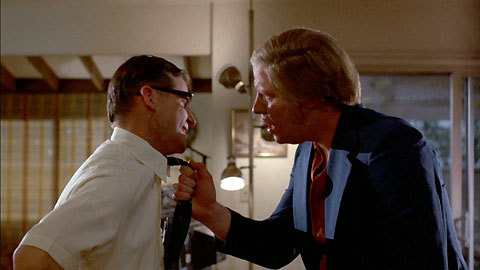
You can see how weird that would be. You can’t be like Biff Tannen, either, calling out “McFly”, otherwise you’d have a moment like this…
Declared Variable Rules
Once a variable is declared, you can also reassign its value whenever you want, changing what’s in the photograph.
String name = "McFly";
String greeting = "Hello, ";
System.out.println(greeting + name + "!");
The above code would come back with “Hello, McFly!”, but we can reassign the values in the variables, like this…
1 String name = "McFly";
2 String greeting = "Hello, ";
3 System.out.println(greeting + name + "!");
4 name = "McFly, you Irish bum";
5 greeting = "I'm talking to ";
6 System.out.println(greeting + name + "!");
See how we changed the value of “name” in line 4 and “greeting” in line 5? The output of the above would look like this.
Hello, McFly!
I’m talking to you McFly, you Irish bum!
Did you notice in the code in lines 3 and 6 are identical? Did you also notice that after we change the assignments in lines 4 and 5, they didn’t go back to what they were before?
Line 3 and 6 are telling Java that we want this code in the “( )” to be shown. The stuff inside (greeting + name + “!”) is like a mad lib, where you replace the variables with the values it’s assigned to.
Let me go one further with this:
1 String name = "McFly!";
2 String greeting = "Hello, ";
3 System.out.println(greeting + name);
4 name = "McFly, you Irish bum!";
5 greeting = "I'm talking to ";
6 System.out.println(greeting + name);
7 name = "Hey Biff, hey guys, ";
8 greeting = "how are you doing?;
9 System.out.println(name + greeting);
Here’s the final product:
Hello, McFly!
I’m talking to you McFly, you Irish bum!Hey Biff, hey guys, how are you doing?
Variables, just like our boy George McFly, need not be the same way forever…
You go, George. You go!
Pingback: Java: Program Anatomy & Primitive Data Type Application | Janifer